
 Download
Adrian
2026-07-01
An open letter from the founder of Blinkl.io
An honest letter from Blinkl.io's founder: the mistakes we made, the Windows performance issues we've now fixed, and the clearer vision ahead. Extensions coming back inside native Premiere panels, plus the ring.
Let me be honest with you
If you tried Blinkl.io early on, the experience probably didn't live up to what we promised. I'd rather be upfront about that. We didn't get everything right, and as the founder, I want to own it and tell you what has changed since.
So instead of another shiny update post, I wanted to write you something real: what happened, what we learned, and where Blinkl.io goes from here.
The vision we started with
Blinkl.io began with a simple idea: a single command bar to supercharge the video editor's workflow. One place to trigger everything, no digging through menus.
And honestly? Some of it worked. But let's face it: we had to handle far too many edge cases, and the command bar model boxed us in. We couldn't build the interfaces we wanted. The very thing meant to set editors free ended up holding our design hostage.
The mistake we didn't see coming
To make that command bar work, we needed a standalone app sitting at the center of everything. And to fit that model, every one of our tools had to become a standalone app too, living outside Premiere Pro.
That quietly broke the one thing editors care about most: your workflow. Instead of staying inside Premiere, you were pushed out of it. We ended up adding friction where we meant to remove it, and that's not the Blinkl.io we want to build.
What we're doing about it
We're bringing every extension back where it belongs: directly inside native Premiere panels. No more jumping out of your editing environment just to get something done.
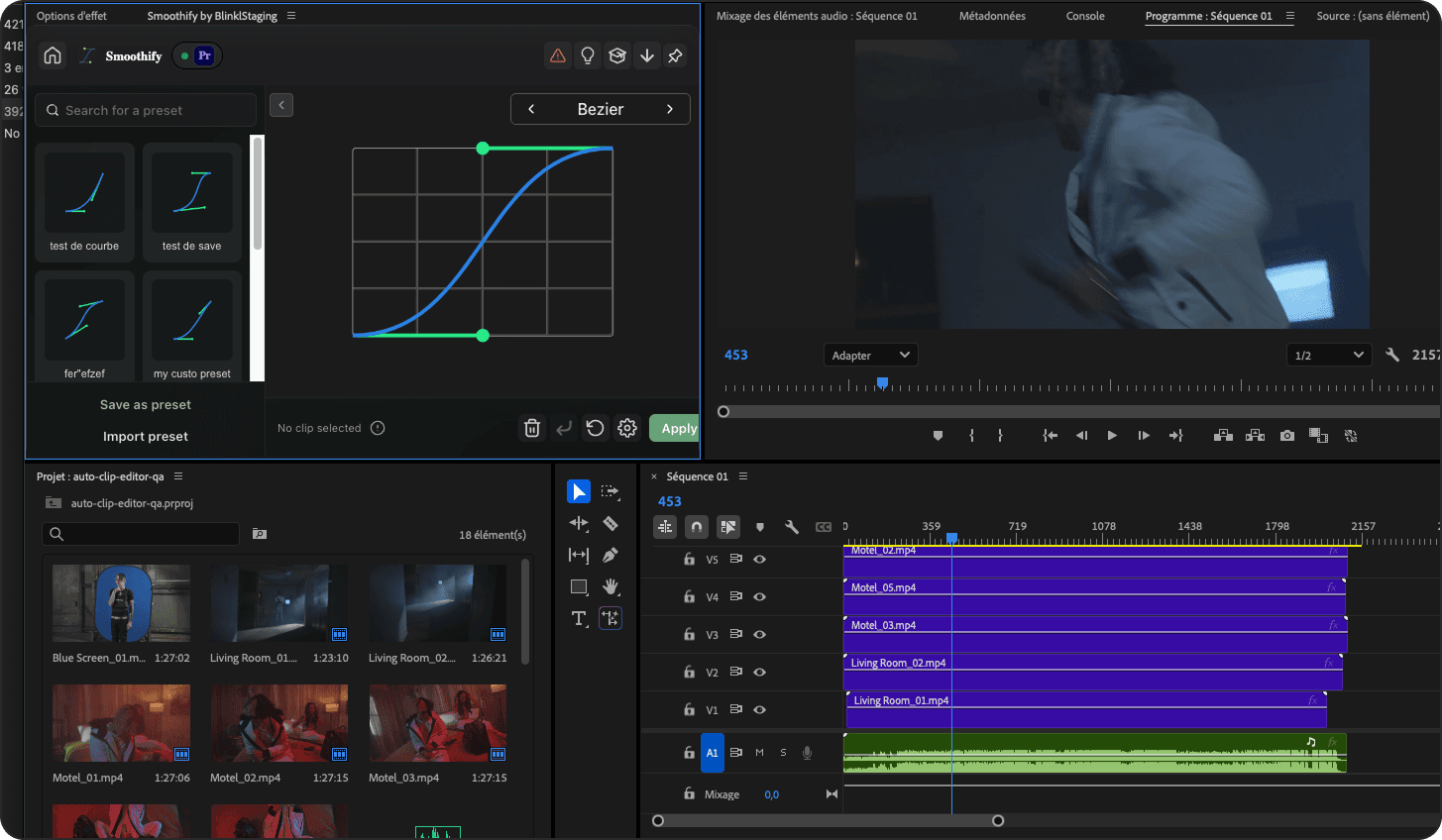
Smoothify is first in line, already in development, and it should land very soon.
The vision, much clearer now
Here's what Blinkl.io is, and what it will stay: a launcher of apps, built in two parts.
- Premium extensions. Classic, familiar interfaces embedded in native Premiere CEP panels, so you never feel lost. Each one fills a gap, all aimed at the same goal: helping you save time on the actions you repeat every day.
- The ring. An innovative, customisable launcher. Open an extension panel with it, or jump straight to the presets you use daily, skipping the extension entirely when you've already set things up your way. It's optional, but it's the glue that ties every extension together, built for one thing: faster workflows.
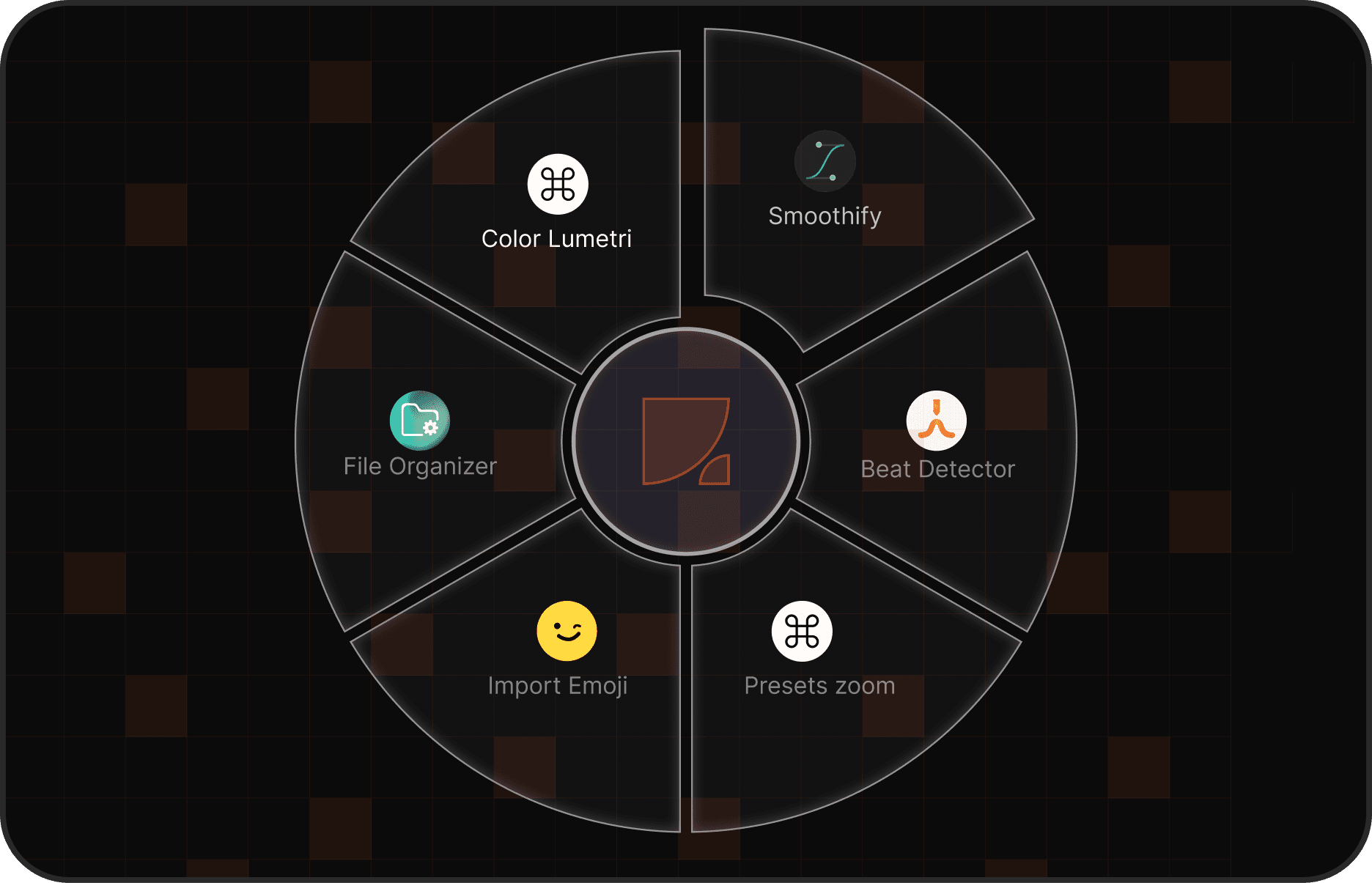
Now, the part we're least proud of
Along the way, we didn't optimize as well as we should have, especially for Windows users. Under certain conditions, the ring could become unusable. If that was your experience, I'm sorry, your time matters and the app should respect it.
Every one of those bugs is now fixed. We've put serious work into Windows QA so that Windows users get the exact same quality as macOS users. No second-class experience. Not anymore.
A little look at our roadmap
I don't want you to just take my word for it, so here's where we are and where we're headed:
- Fix and optimize the ring on Windows, even on modest setups. (Done, and running smoothly on our 16GB RAM Windows machine.)
- Bring Smoothify back as a native Premiere panel, we're hoping for 1 to 2 weeks. Then we'll gather your feedback, squash any major bugs, and bring back the rest of our extensions one by one over the following weeks.
- Two brand-new Premiere Pro extensions, both landing in under two weeks:
- Project Translator, detects, gathers, and translates every piece of text in a project (native source text, Mogrts, and subtitle tracks), so you can turn any Premiere project into a multi-language one.
- Smart Export, splits your timeline into multiple blocks and exports them all at once, either directly or through Media Encoder.
- Our very first After Effects extension, we're keeping this one under wraps for now. Stay tuned.
Thank you, honestly
If you gave Blinkl.io a shot early and it wasn't quite there yet, I understand. But the product you'd come back to today has come a long way since.
We've done the unglamorous work: fixing, optimizing, and rethinking what Blinkl.io should be. So all that's left is to ask, give us one more chance to earn your workflow.
And to make that easy, your next 14 days of free trial are on us, applied automatically the next time you log in. Nothing to claim, nothing to click. It unlocks every feature of the app, no credit card required.
Adrian, Founder of Blinkl.io
Adrian
Founder of blinkl.io