
 Download
Myriam HINDERER
2026-09-10
Blinkl.io V3: A Faster Ring With Six Times More Shortcuts
Blinkl.io V3 ships a faster Ring that holds six times more shortcuts, thanks to nested secondary commands and ready-made ring presets.
What's new in Blinkl.io V3
V3 is a full pass on the Ring, not just a new feature bolted on. Three changes carry the update.
- Faster launch and a smoother Ring overall: less lag between the shortcut and the action landing on your timeline.
- Six times more shortcuts per Ring: each slot can now hold up to six secondary commands, instead of one action per slot.
- Ring presets: drop a ready-made set of secondary commands onto a slot in one click, no manual setup.
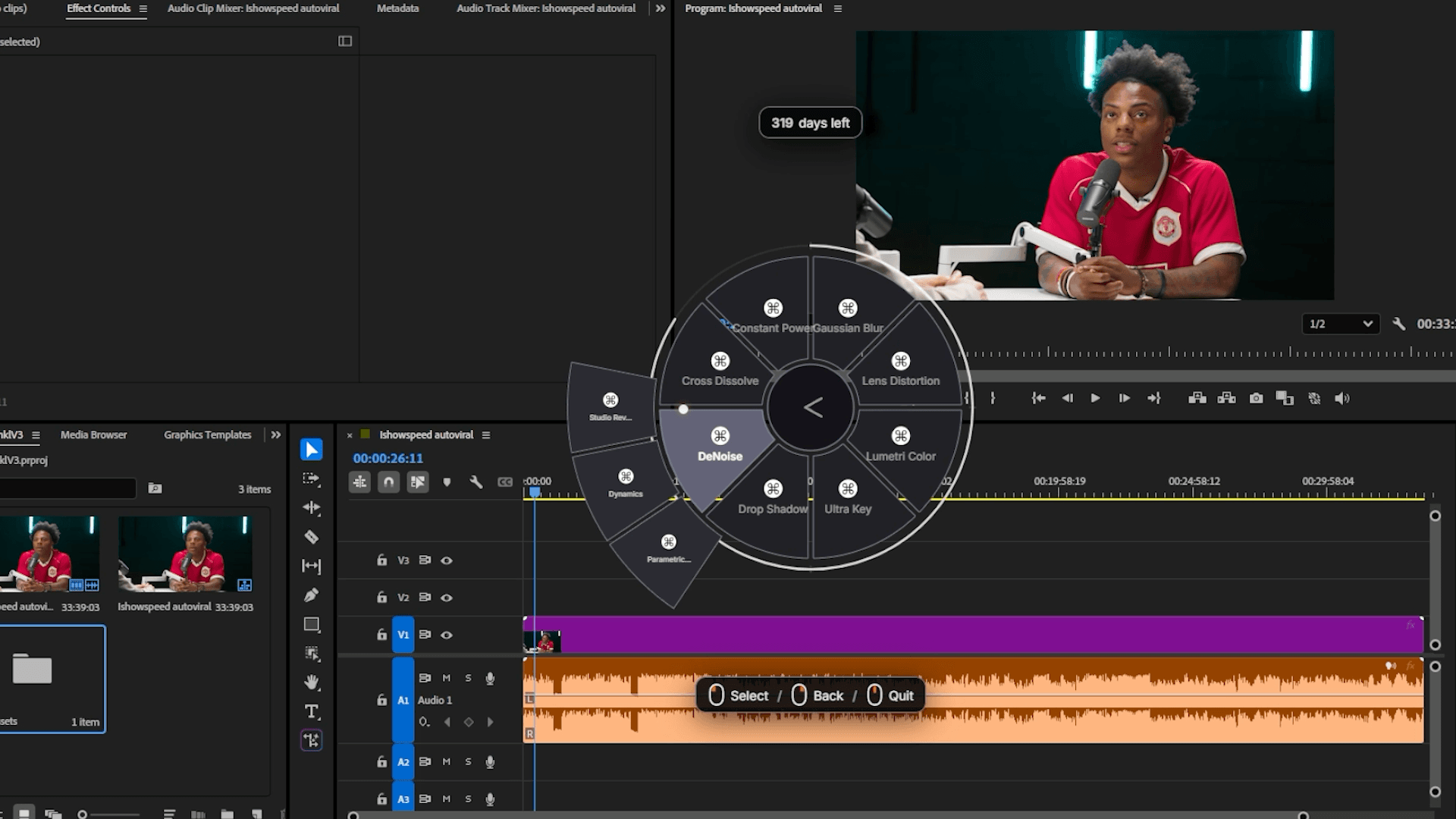
How to add secondary commands to a Ring slot
Secondary commands are the headline feature of this update. Here is how to set them up on any slot.
- Open the Ring with Ctrl+Right-click, or your custom hotkey.
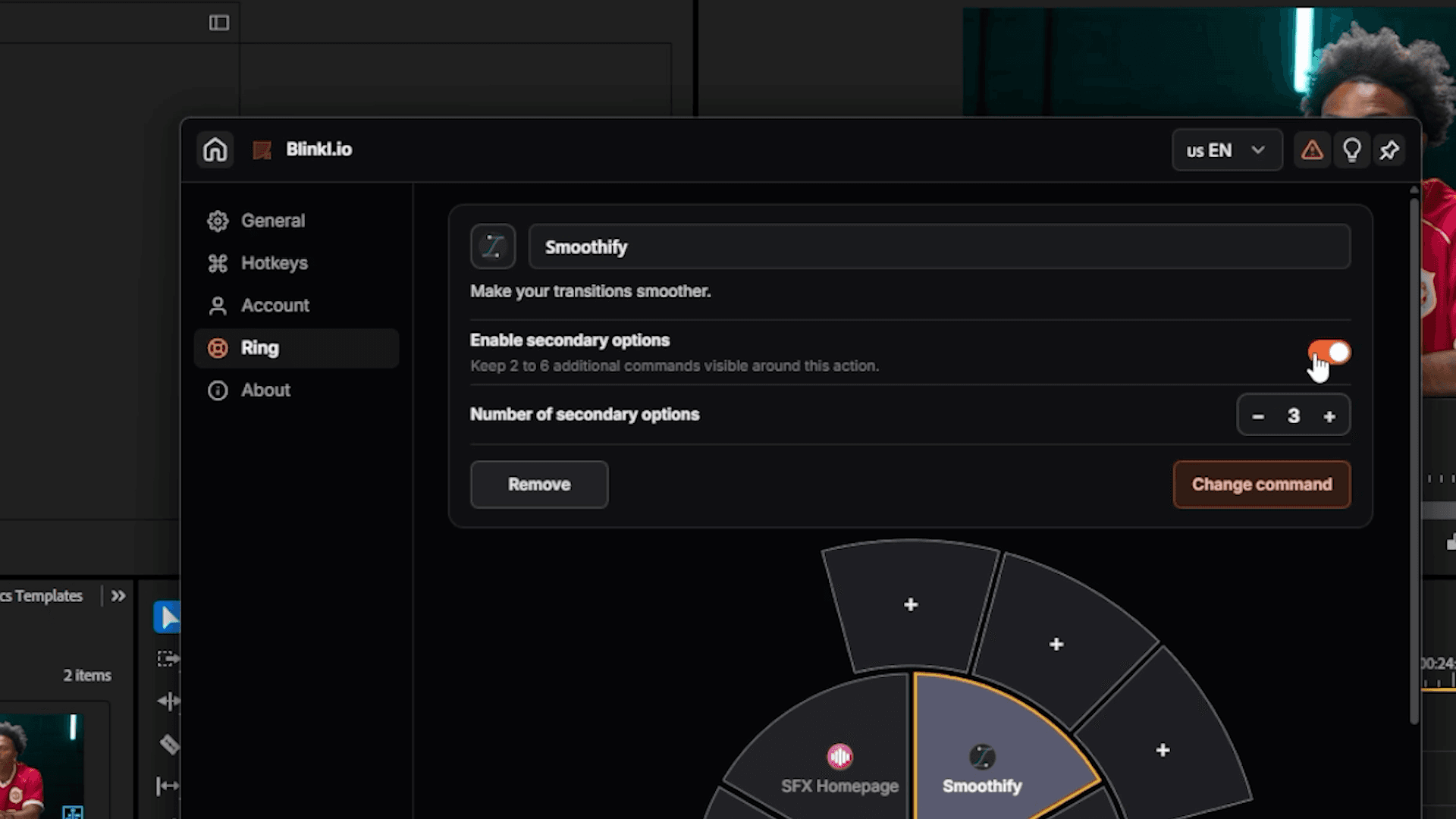
- Click the settings icon in the middle of the Ring, then open Ring.
- Select the slot you want to expand, for example Smoothify, and turn on Enable secondary options.
- Click one of the plus slots to open Assign to Ring, find the action or preset you want, for example a specific Smoothify curve, and click it to assign.
- Repeat for up to six secondary commands, on any Blink or preset.
Set this up once per slot, and every secondary command stays one click away from the main command instead of a hunt through menus.
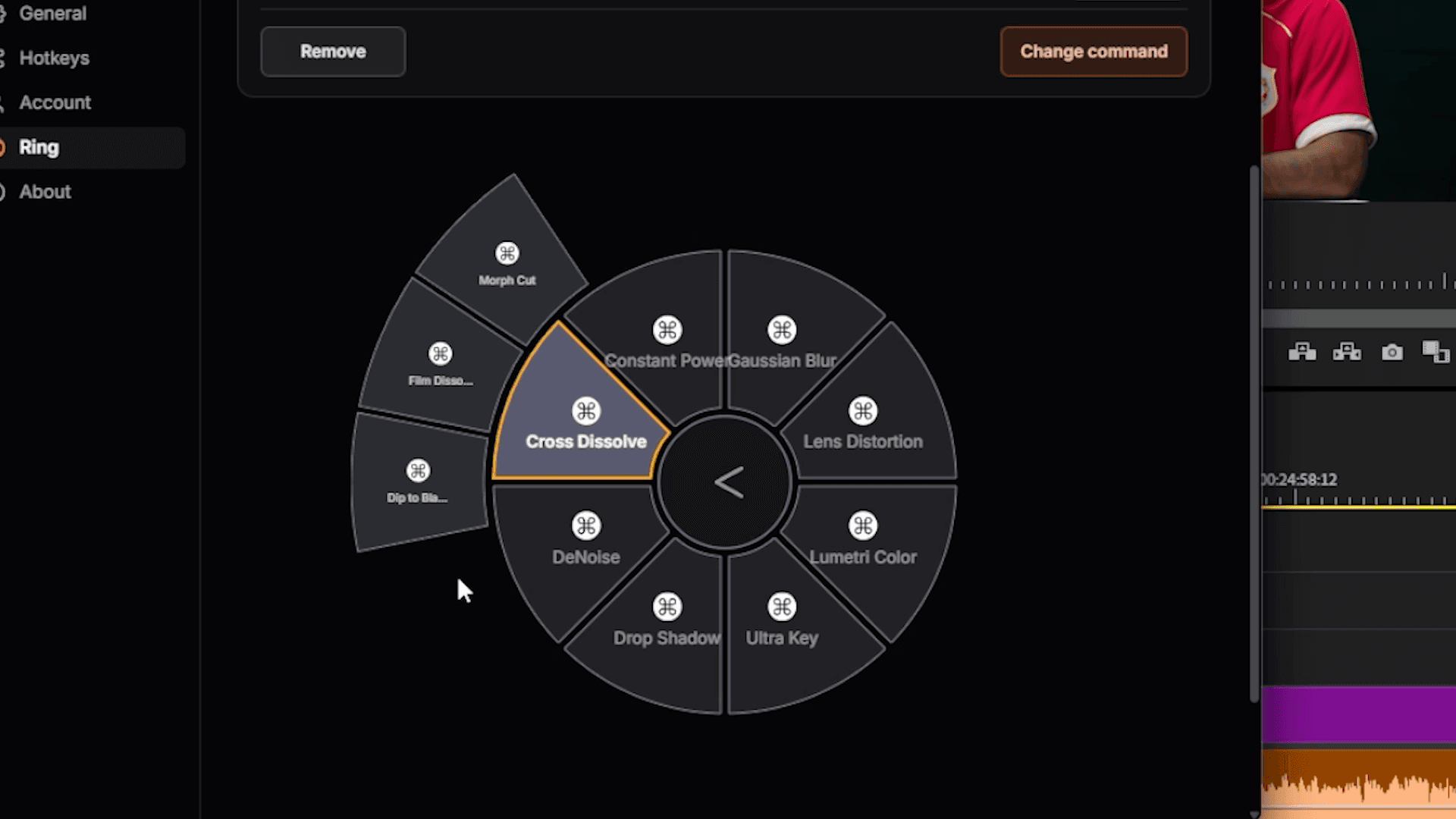
Ring presets: skip the manual setup
Some Blinks already ship with a ring preset built by Blinkl, a full set of secondary commands ready to drop onto a slot.
- Click a slot and add the Blink, for example SnapActions.
- In Assign to Ring, look for the ring presets built by Blinkl instead of configuring each secondary slot by hand.
- Pick the preset, go back to your timeline, and open the Ring.
Every secondary command is already in place, one click away, without touching a single slot yourself.
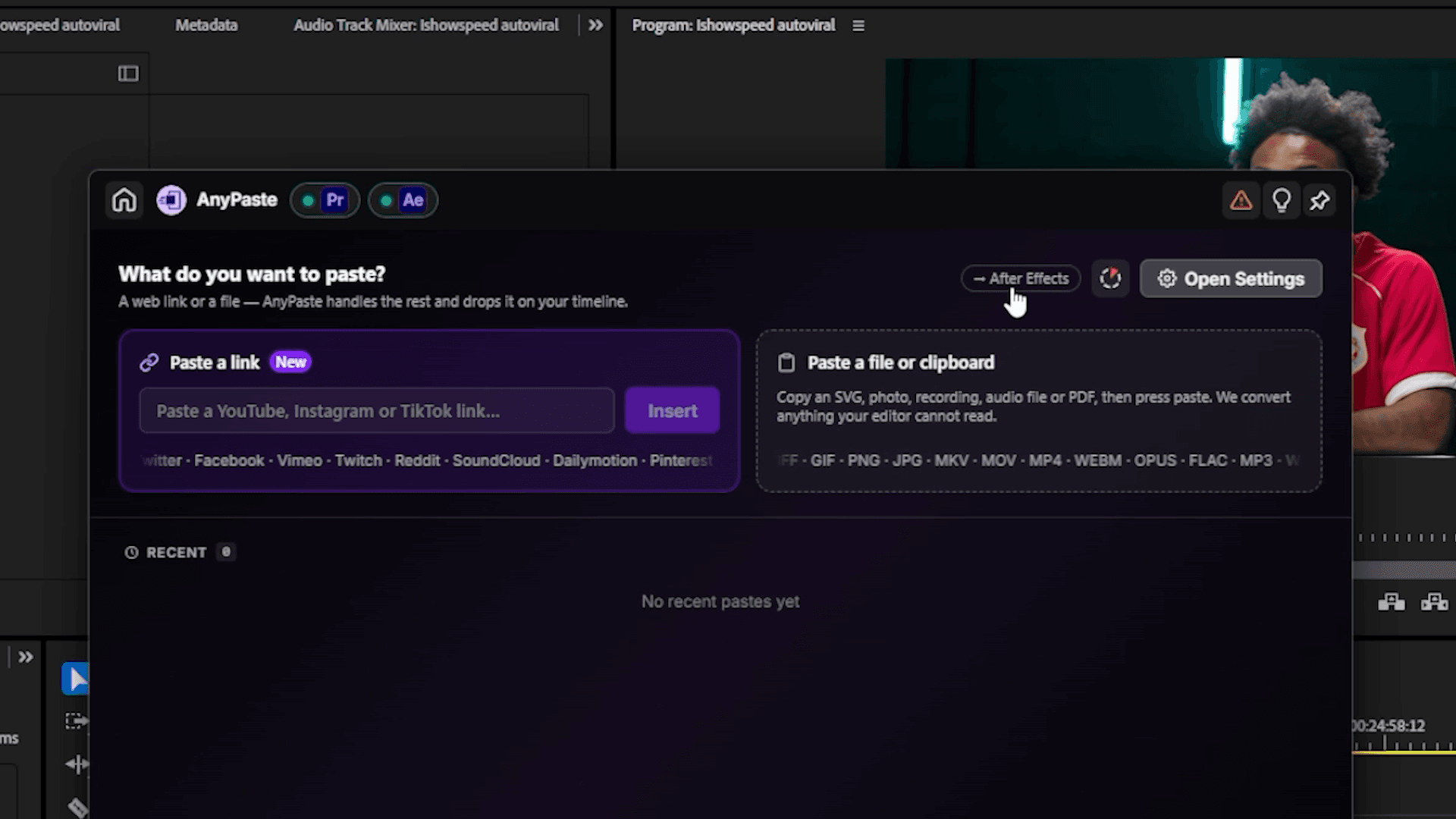
Switch between Premiere Pro and After Effects from the Ring
On Blinks that support both apps, click the small badge on the Ring to jump straight from Premiere Pro to After Effects, or back, without leaving the shortcut.
Why this update matters for your edit
Blinkl.io's whole point has not changed: cut the distance between what you want to do and the moment you do it. V3 just pushes that further. Instead of splitting your shortcuts across two or three Rings, or memorizing where you buried a rarely used action, you fit your entire toolkit into one Ring you already know by muscle memory.
How to get Blinkl.io V3
If you already have blinkl.io installed, the first launch after updating walks you through a short onboarding for the new version, follow the steps on screen and you land straight on the new Ring setup. If you are starting fresh, blinkl.io is free to install.
· Six times more shortcuts, one Ring
Frequently asked questions
The short answers to what changed in the new Ring.
What's new in Blinkl.io V3?
How many secondary commands can I add to one Ring slot?
What are ring presets in Blinkl.io?
Can I switch between Premiere Pro and After Effects from the Ring?
Is Blinkl.io free?
Myriam HINDERER
Chief Marketing Officer